Showcase project

Kestrel Physio

A Sydney physiotherapy clinic’s patient app for moving appointments and following a recovery plan, a website that takes bookings, and a back office that ties the clinic’s tools together.

  • Patient app
  • Website
  • Back office
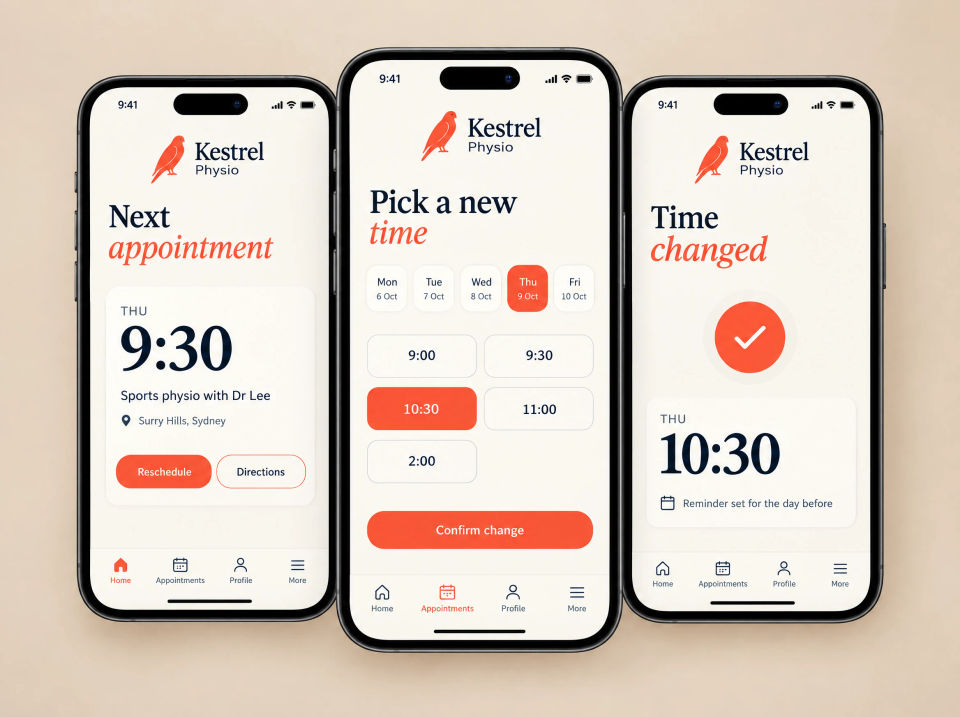
Three phones showing the Kestrel Physio app: a Next appointment screen with Reschedule and Directions buttons, a Pick a new time screen with one time selected, and a Time changed confirmation.

The brief

Missed calls, missed sessions.

Kestrel is a physiotherapy clinic in Surry Hills. Patients who needed to move an appointment had to phone, and reception could only pick up between patients, so a missed call often became a missed session. Home exercises went out on paper handouts that were easy to lose.

Behind the desk, the calendar, email, accounting and payments were separate tools that didn’t talk to each other, and reception and the physios shared a single login.

What they asked for

  • Let patients move their own appointments
  • Put home exercises and progress in an app
  • Reminders before every session
  • Online booking on the website
  • One view of the clinic day
  • Connect the calendar, email, accounting and payments
  • A login for each person, with the right access

What we built

An app for patients, a back office for the clinic.

Patients use the app and the website. Reception and the physios use the back office. All three work from the same appointments.

Three phones showing the Kestrel Physio app: a Next appointment screen for a sports physio session with Reschedule and Directions buttons, a Pick a new time screen with days across the top, a grid of times with one selected and a Confirm change button, and a Time changed confirmation with a reminder set for the day before.

Patient app

Move an appointment without a phone call

The app opens on the next appointment. Reschedule shows the open times across the week; the patient picks one, confirms, and a reminder is set for the day before.

  • Next appointment with Reschedule and Directions
  • Open times, day by day
  • Confirm the change in one step
  • A reminder set for the day before
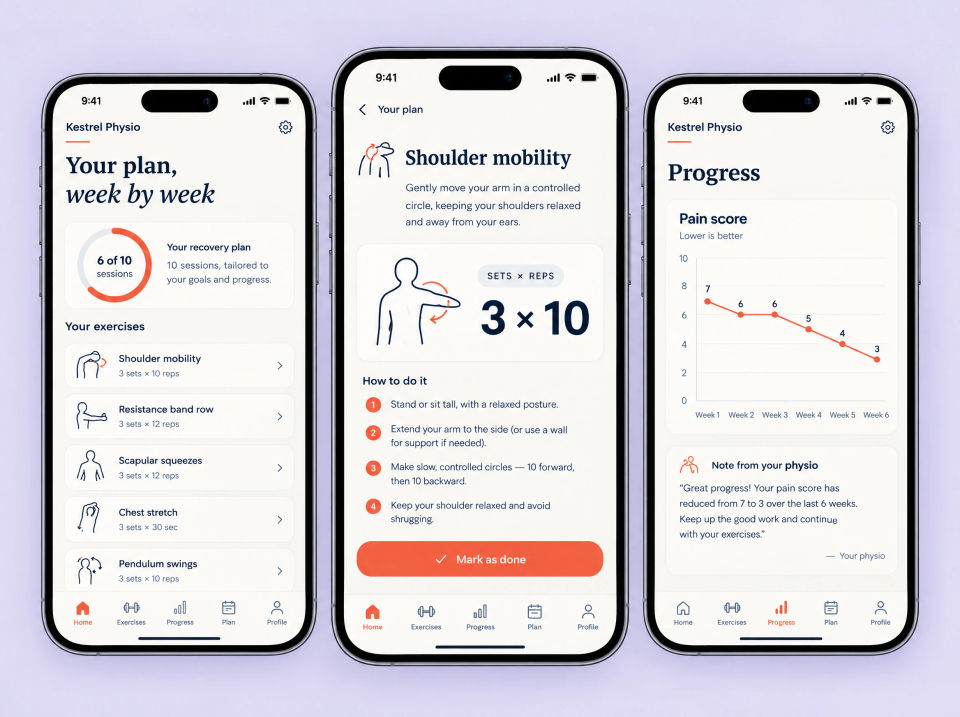
Three phones showing the Kestrel Physio app: a Your plan, week by week screen with a sessions ring and a list of exercises, a Shoulder mobility exercise with a drawing, sets and reps and four numbered steps, and a Progress screen with a pain score line chart and a note from the physio.

Patient app

A recovery plan to follow at home

Instead of a paper handout, each patient has their plan in the app: sessions so far, exercises with sets and reps, step-by-step instructions, and a progress chart with a note from their physio.

  • Sessions done out of the plan
  • Exercises with sets, reps and drawings
  • Step-by-step instructions, then Mark as done
  • A progress chart and a note from the physio
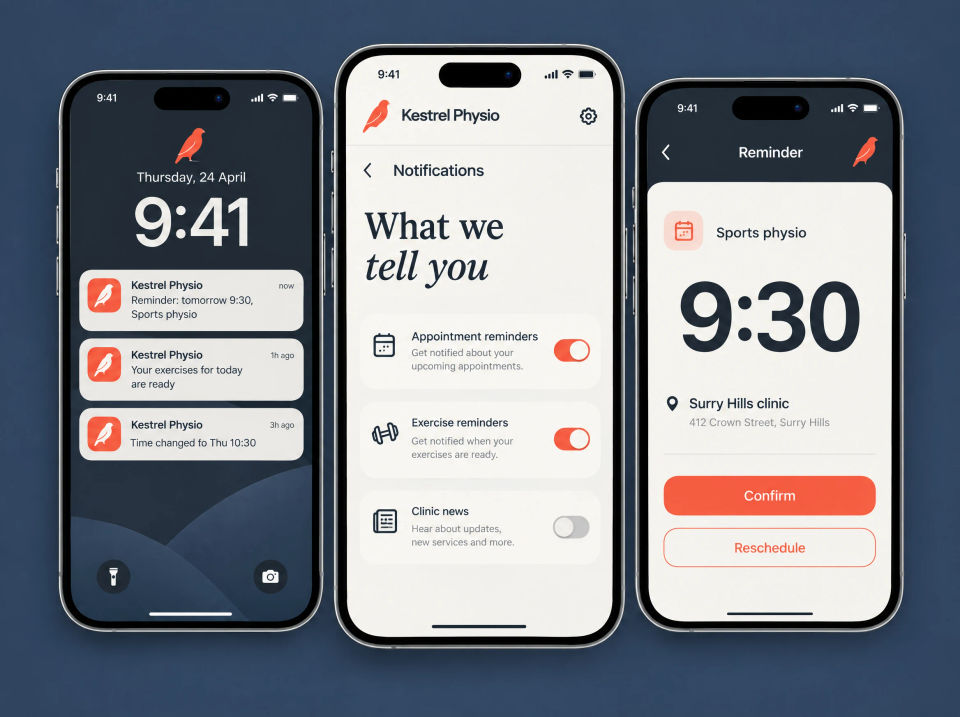
Three phones showing Kestrel Physio notifications: a lock screen with an appointment reminder, an exercises reminder and a time change notice, a What we tell you settings screen with switches for appointment reminders, exercise reminders and clinic news, and a Reminder screen for a sports physio session with Confirm and Reschedule buttons.

Patient app

Reminders patients control

Push notifications cover the next appointment, the day’s exercises and any time change. Patients choose which ones they get, and a reminder opens onto the appointment with Confirm and Reschedule buttons.

  • Appointment and exercise reminders
  • A notice when a time changes
  • A switch for each kind of message
  • Confirm or reschedule from the reminder
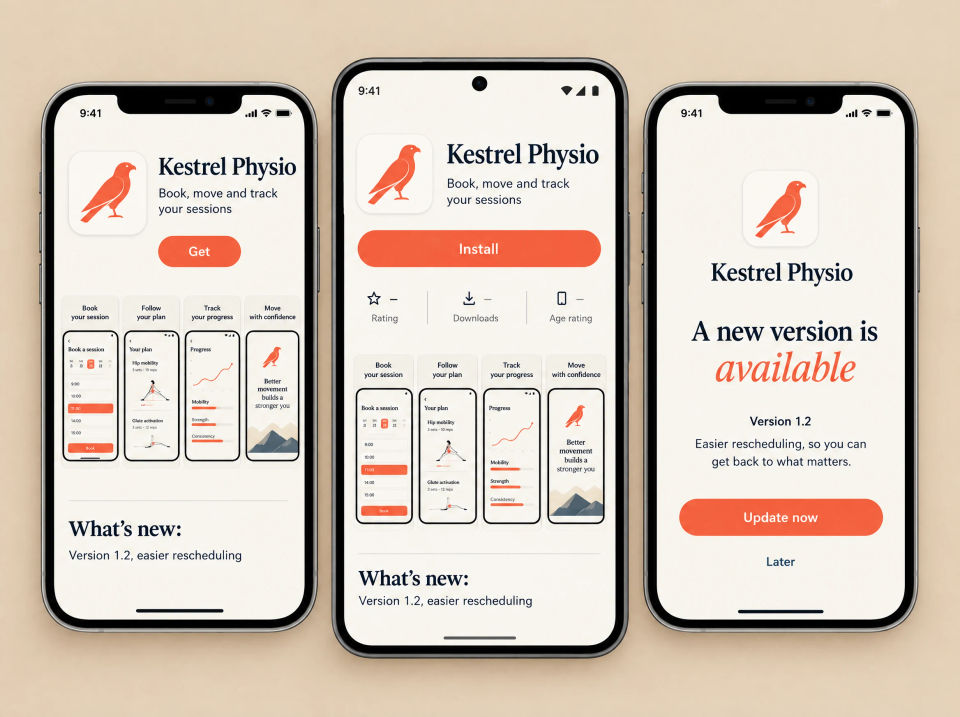
Three phones showing Kestrel Physio in the app stores: an App Store listing on an iPhone with a Get button and four store pictures, a Google Play listing on an Android phone with an Install button and the same pictures, and an in-app screen saying a new version is available with an Update now button.

Patient app

On the App Store and Google Play

The app is published under the clinic’s own name on iPhone and Android, with store pictures that show what it does. When a new version comes out, patients see what’s changed and can update in one tap.

  • Listings on both stores, under the clinic’s name
  • Store pictures: book, follow your plan, track progress
  • What’s new notes for each version
  • A message in the app when an update is ready
Kestrel Physio Book a session page on a laptop and a phone: three steps for service, time and details, a monthly calendar with one date selected, a column of available times with one selected, and an appointment summary for a sports physio session with its length, price and a Confirm booking button.

Website

Book a session online

New patients book from the website in three steps: the service, a time, then their details. The calendar marks the days with openings, and a summary shows the session length and price before they confirm.

  • Three clear steps
  • A calendar with open days marked
  • Available times for the chosen day
  • A summary before confirming
Kestrel Physio Find us in Surry Hills page in a laptop browser and on a phone: a street map with a pin on Crown Street, the clinic address, opening hours for weekdays, Saturday and Sunday, the phone number, and Get directions and Call the clinic buttons.

Website

Find the clinic

A Find us page puts the map, the street address, the opening hours and the phone number together, with buttons to get directions or call the clinic.

  • A map with the clinic pinned
  • Address and opening hours
  • Get directions
  • Tap to call from a phone
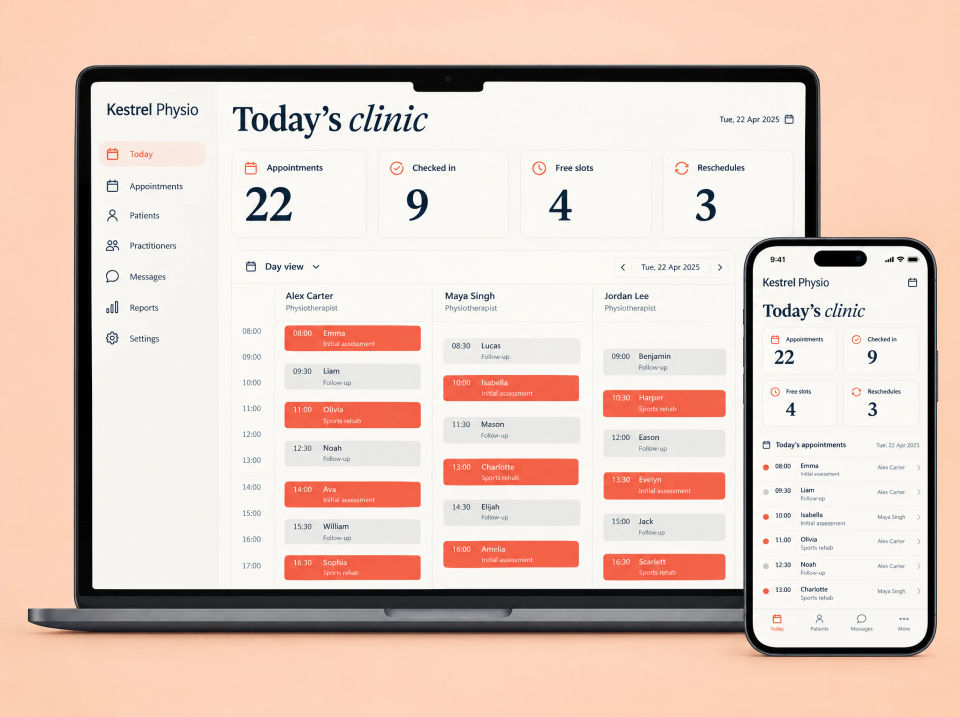
Kestrel Physio Today’s clinic screen on a laptop and a phone: counts for appointments, checked in, open slots and reschedules, the day’s schedule with a column for each of three physiotherapists and colour-coded appointments, and a list of today’s appointments on the phone.

Back office

Today’s clinic, by practitioner

Reception starts with the day: appointments, check-ins, open slots and reschedules, then the day laid out with a column for each physio. On a phone, the same appointments run as one list in time order.

  • The day in four counts
  • One column for each practitioner
  • First assessments stand out from follow-ups
  • Today’s appointments on a phone
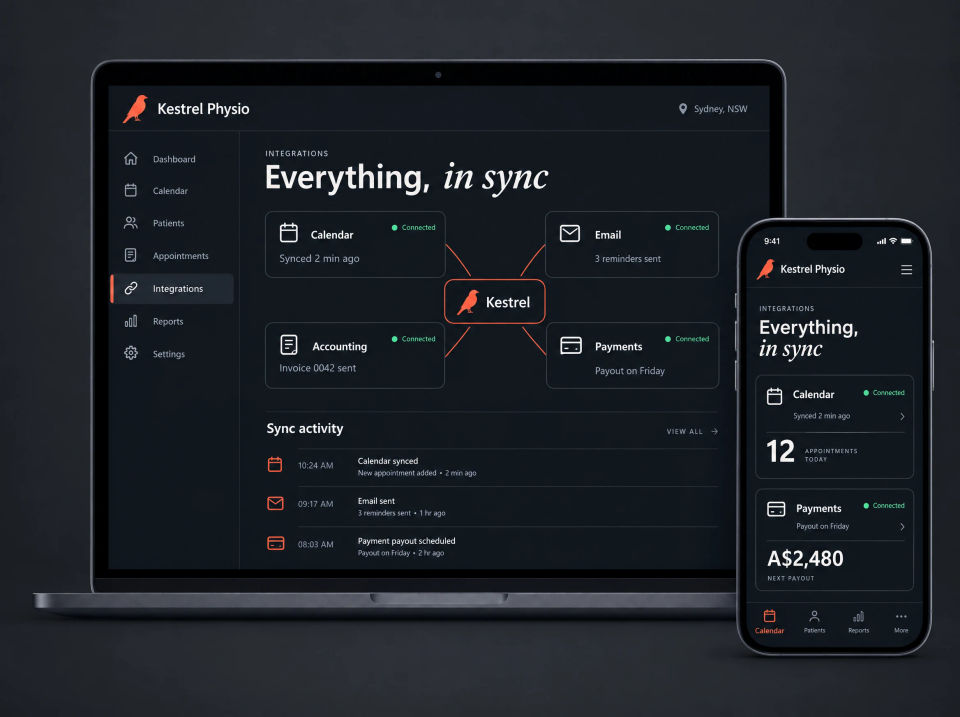
Kestrel Physio integrations screen in a dark theme on a laptop and a phone: Everything, in sync, with calendar, email, accounting and payments cards marked Connected around the Kestrel logo, a sync activity list, and the calendar and payments cards on the phone.

Back office

The clinic’s tools, in sync

The calendar, email, accounting and payment tools the clinic already used stay in place. The back office connects them, so a booking reaches the calendar, the reminder email goes out, and invoices and payouts are recorded without re-keying.

  • Calendar, email, accounting and payments, each shown as connected
  • A log of everything that synced
  • Booking reminders sent by email
  • Payouts and appointments on a phone
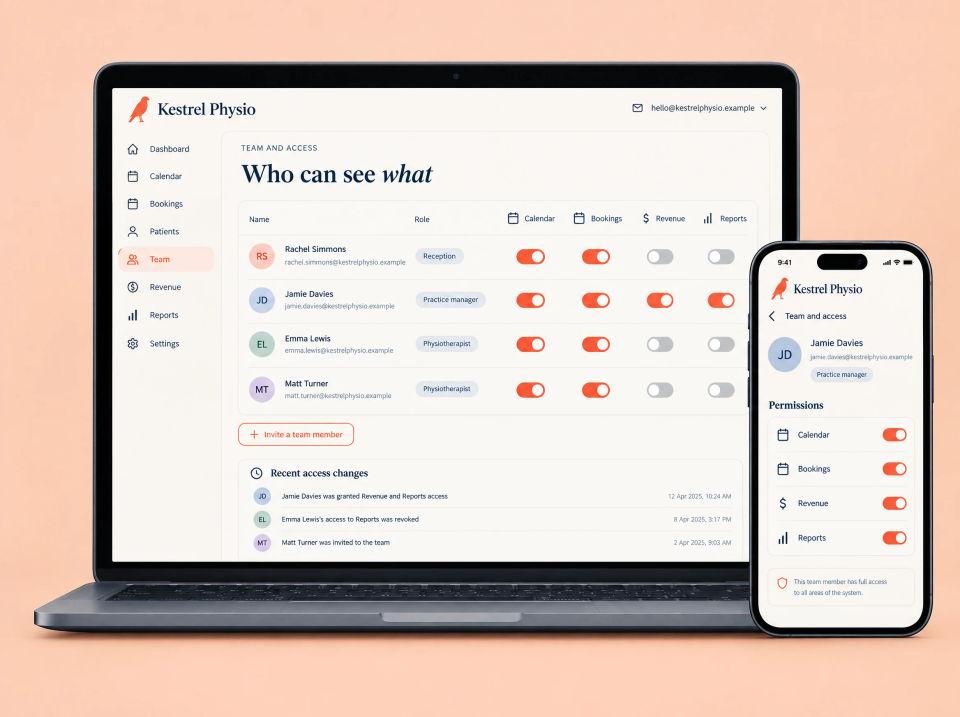
Kestrel Physio Team and access screen on a laptop and a phone: Who can see what, a table of four staff with their roles and switches for calendar, bookings, revenue and reports, an Invite a team member button, a list of recent access changes, and one person’s permissions on the phone.

Back office

Who can see what

Everyone has their own login. The practice manager sets what each person can open, such as the calendar and bookings for reception but not the revenue, and every change is listed.

  • A login for each person
  • Switches for calendar, bookings, revenue and reports
  • Invite a team member
  • Recent access changes, listed

Summary

Everything in this project.

Patient app

  • Next appointment and reschedule
  • Recovery plan, exercises and progress
  • Push reminders, with settings
  • App Store and Google Play listings and updates

Website

  • Book online in three steps
  • Find us: map, address and hours

Back office

  • The clinic day, by practitioner
  • Calendar, email, accounting and payments connected
  • A login for each person, with access by role

How the pieces fit together.

The app, the website and the back office all work from the same appointments. A booking made on the website shows up in the clinic’s day view and in the patient’s app. When a patient moves a session in the app, the old slot opens up for reception, the calendar updates and a new reminder is set. The recovery plan and the physio’s notes stay with the patient, not on a handout.

Losing sessions to phone tag? Tell us how it works now.

Ask about a build like this